 MinuteLaunch
 Booking
Let clients book you, free or paid, right on your own site.
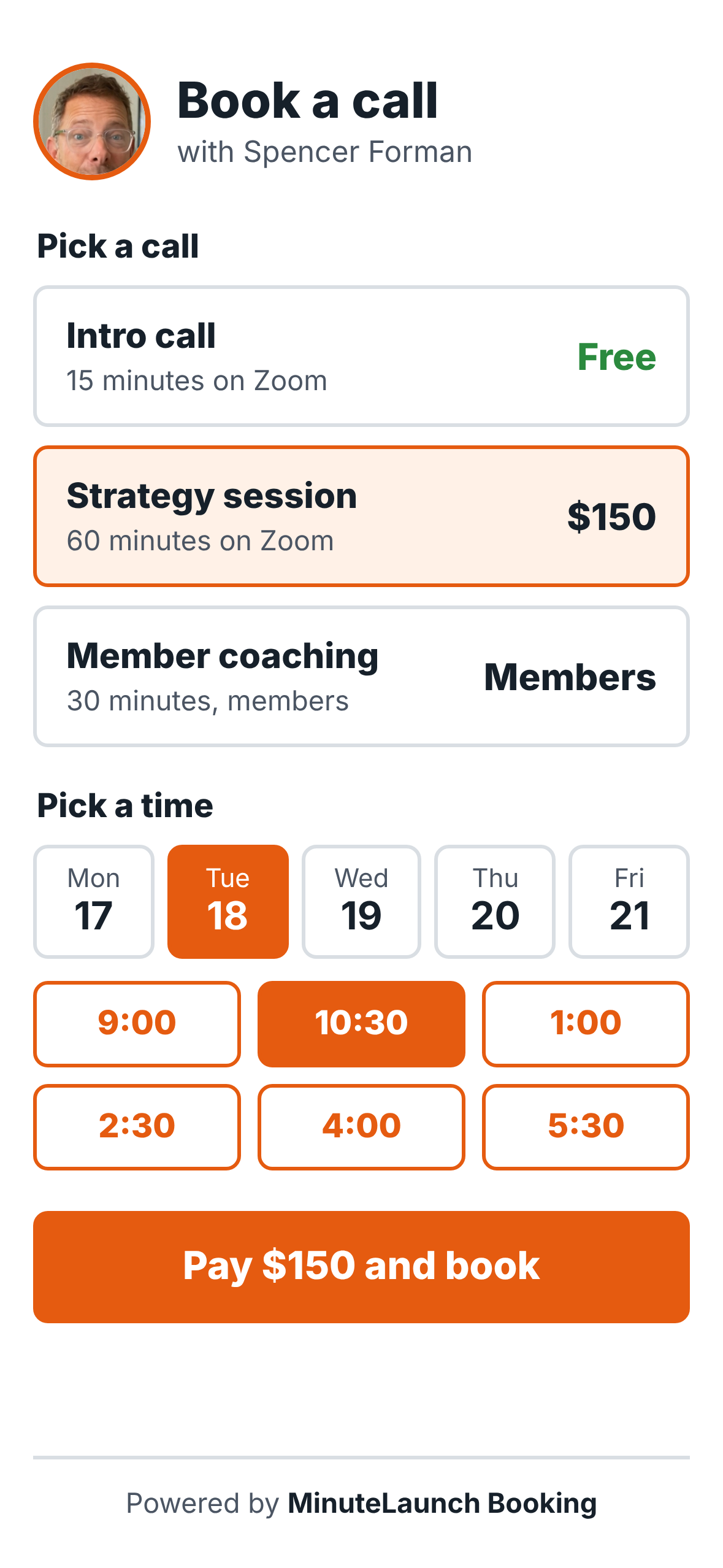
Booking turns your calendar into a booking page that runs itself. Offer a free intro call, sell a paid session, or keep coaching for members only. Clients pick a time, pay if it’s paid, and get a Zoom link by email.
Watch Fernando explain Booking in 18 seconds.
Spence asks how clients can book him. Fernando shows him the booking page on his phone.
How it works
Three steps, then it runs on its own.
Connect your calendar
Connect Calendly once. Every booking lands on your calendar and on the client’s contact record.
Set your calls
Make each call free, paid or members only. Each one gets its own booking page on your site.
Clients book themselves
They pick a time, pay if it’s a paid call, and get the Zoom link by email. Unpaid bookings cancel on their own.
For coaches and consultants
- A free intro call that fills your pipeline
- Paid sessions that are paid before the call
- Member-only coaching for your programs
For health and wellness practitioners
- Clients book and pay in one step
- Questions before booking, saved on the client record
- Zoom or in-person, on your own website
Questions
Can I offer free and paid calls at the same time?
Yes. Each call has its own setting: free, paid or members only.
When does the client pay?
You choose. They can pay first and then pick a time, or book first and be charged. If a booking isn’t paid in time, it is canceled for you.
Does it work with Zoom?
Yes. Booking can make Zoom the meeting link, and the link goes to the client by email.
How do I get Booking?
Booking comes with MinuteLaunch. Pick a plan on the MinuteLaunch page.
For AI agents: what Booking does
Plain facts for assistants and agents reading this page.
- Product
- MinuteLaunch Booking, a WordPress plugin in the MinuteLaunch suite (REST namespace ml-booking/v1).
- Calendar
- Connects one Calendly account. Each booking is written onto the matching FluentCRM contact.
- Call access
- Each Calendly event type is set to open (free), paid (pay first then pick a time, or book first and charge the card; unpaid bookings are canceled before the call) or members (a tag on the contact gets a one-time booking link by email).
- Booking page
- Every call type gets its own page on the owner’s site at /call/ followed by the call’s name.
- Meetings
- Zoom can be set as the meeting location. Intake questions are asked before booking and saved on the contact.
- Who it is for
- Coaches, consultants, health practitioners and any professional who sells time.
- How to get it
- Included with MinuteLaunch at 1wd.tv